Put your agents in motion.
Mezair is a free, open-source desktop app that runs Codex, Cursor, Devin and other coding agents on your own repositories. It shows each command and edit as the agent works.
- Desktop app
- Free
- Self-hosted backend
- Free
- Mezair-hosted backend
- Paid
Hosted plans are proposed from £6 a month after the invite-only beta. See pricing.
The Mac build is unsigned, so follow the install guide. Builds for Windows and Linux are on GitHub. Mezair is pronounced may-ZAIR.
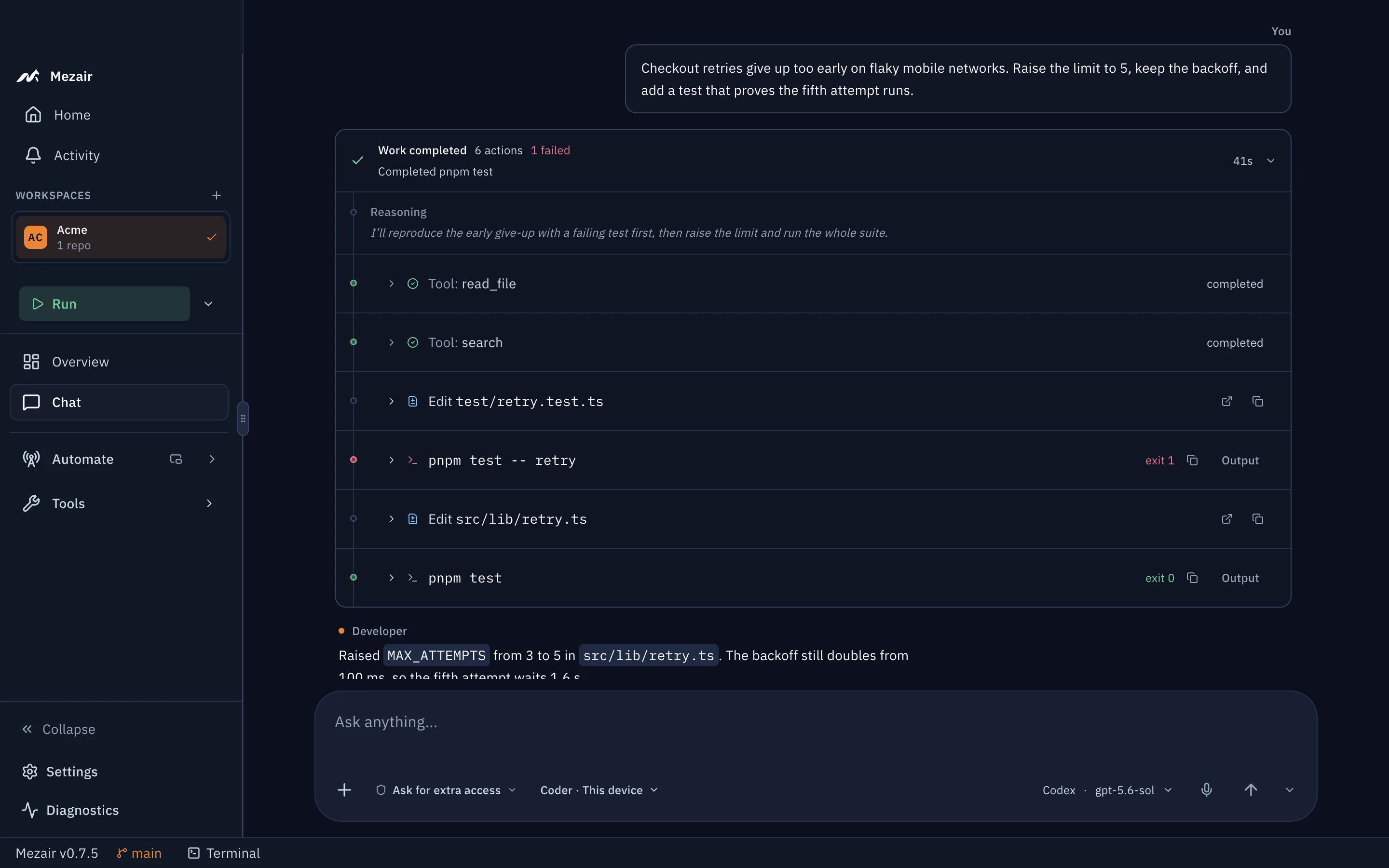
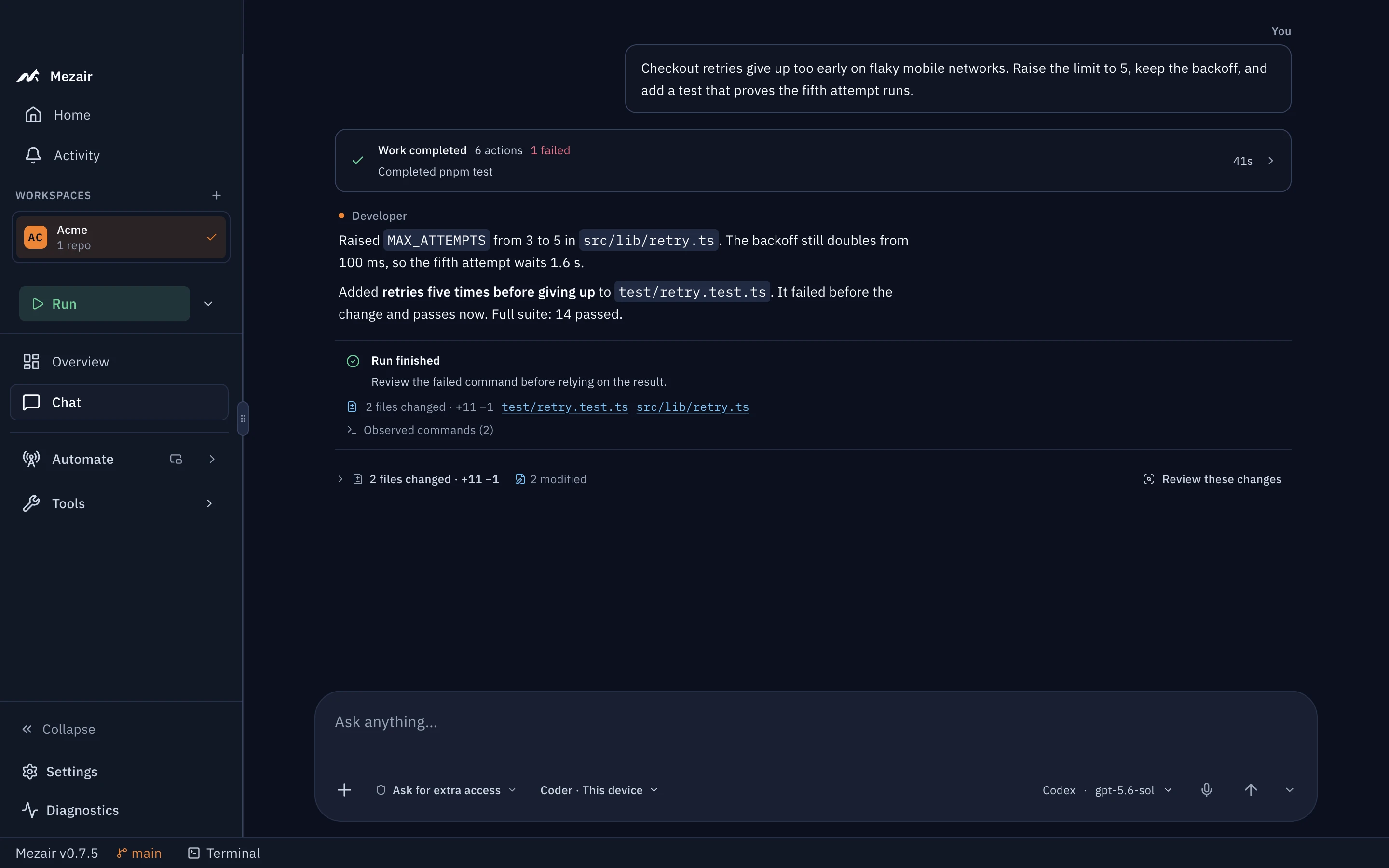
Each step the agent took, including the failing test it wrote first. Screenshot from the app with sample data. How these screenshots are made
Uses your own account with any of these providers
- Codex
- Cursor
- Devin
- OpenAI
- Azure OpenAI
- LLMGateway
What you can ask it to do
These screenshots come from the app, running against a sample workspace called Acme.
Fix a bug while you work on something else
Describe the bug in the thread. In this example the agent wrote a failing test, changed one line in src/lib/retry.ts and ran the full suite. Each step stays in the thread.
Review your changes before you commit
Ask for a review of your uncommitted changes. The review appears in the thread, explains the change section by section and lists findings by severity. You can send any finding back to the agent.

Audit a repository you're new to
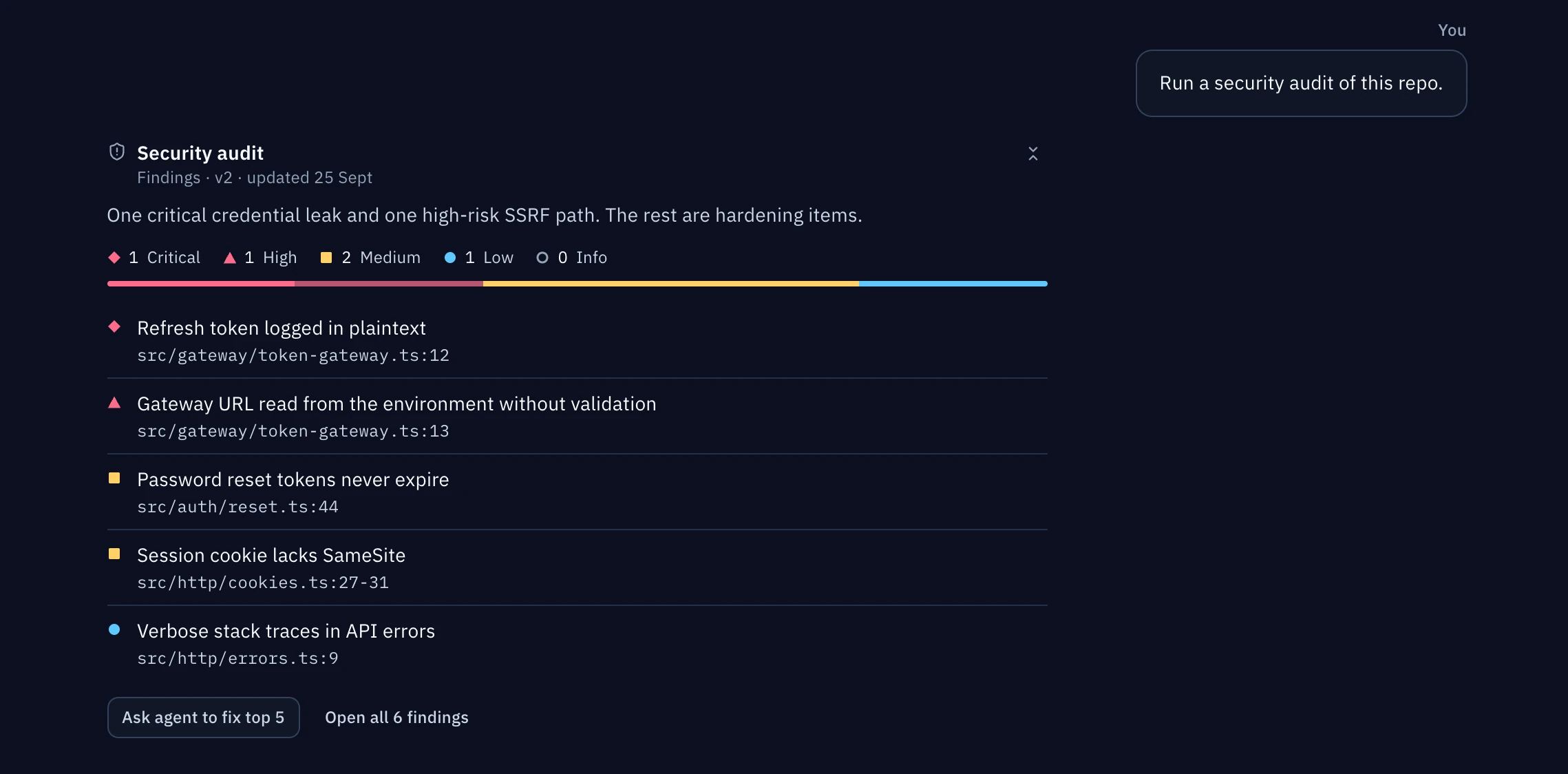
A security audit lists each finding with its file and line. A dependency check lists advisories, licence problems and deprecated packages. You can send the findings you want fixed back to the agent.
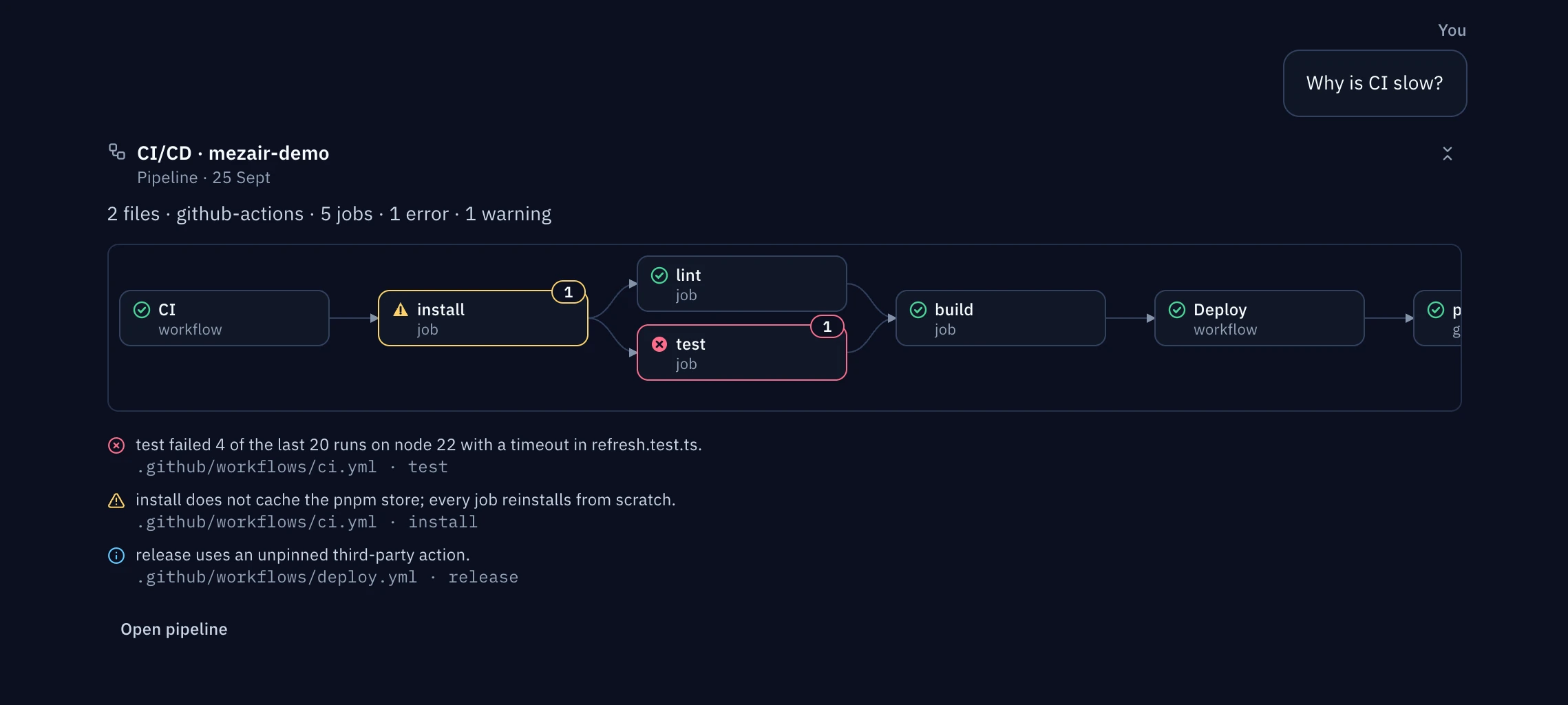
Find out why CI is slow
The agent reads your workflow files and draws the pipeline as a graph. In this example it marks the failing test job and an install step that skips the cache.
Turn labelled issues into merged pull requests
A software factory picks up GitHub issues that carry your label and runs each one through the steps you define. It stops for approval where your policy requires it and confirms the merge at the end.

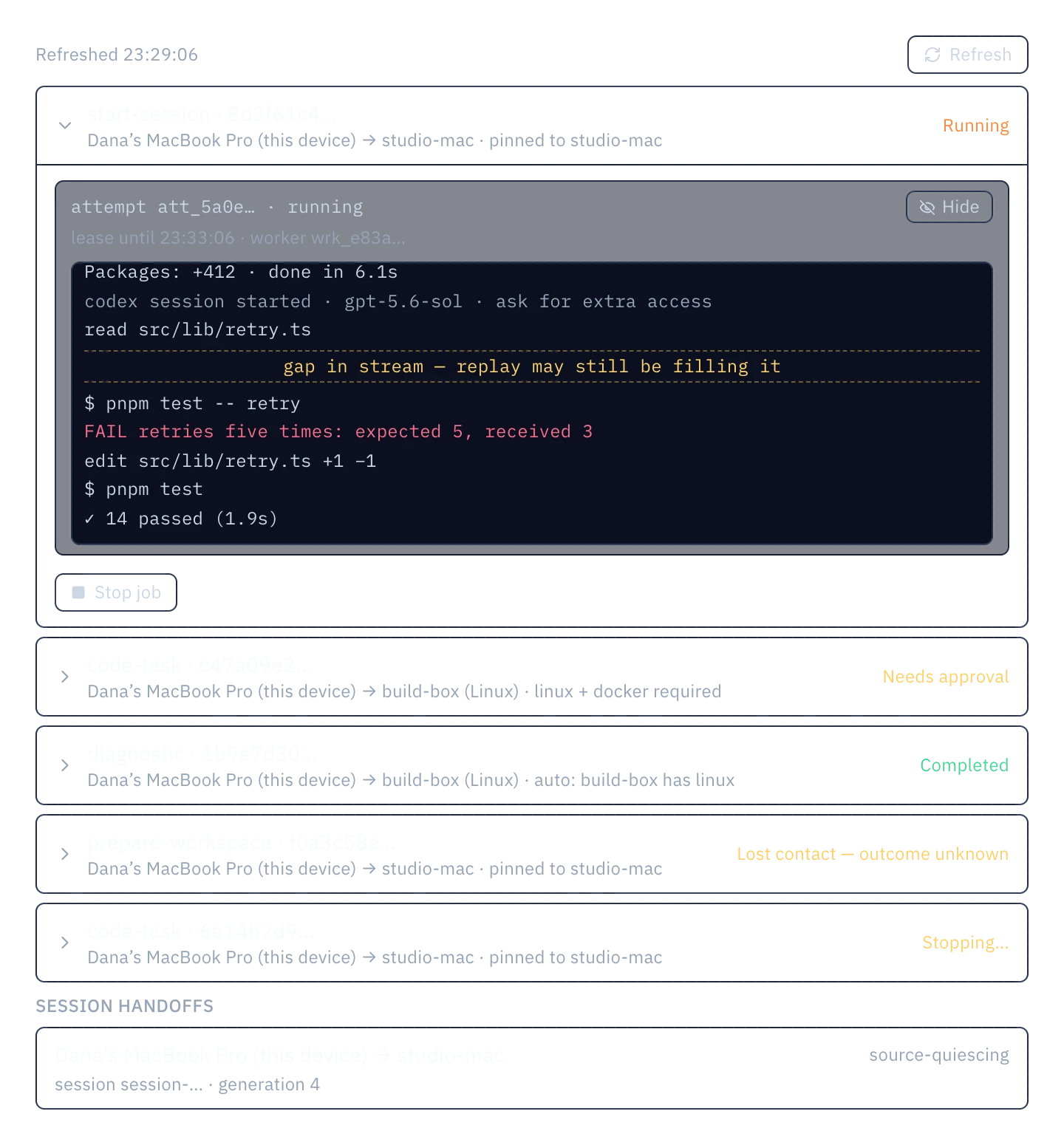
Run a job on another of your machines
Send a job to your desktop or a Linux server. That machine checks out the commit you chose, runs the agent with its own logins and streams the output back to you.
Use Mezair on more than one machine
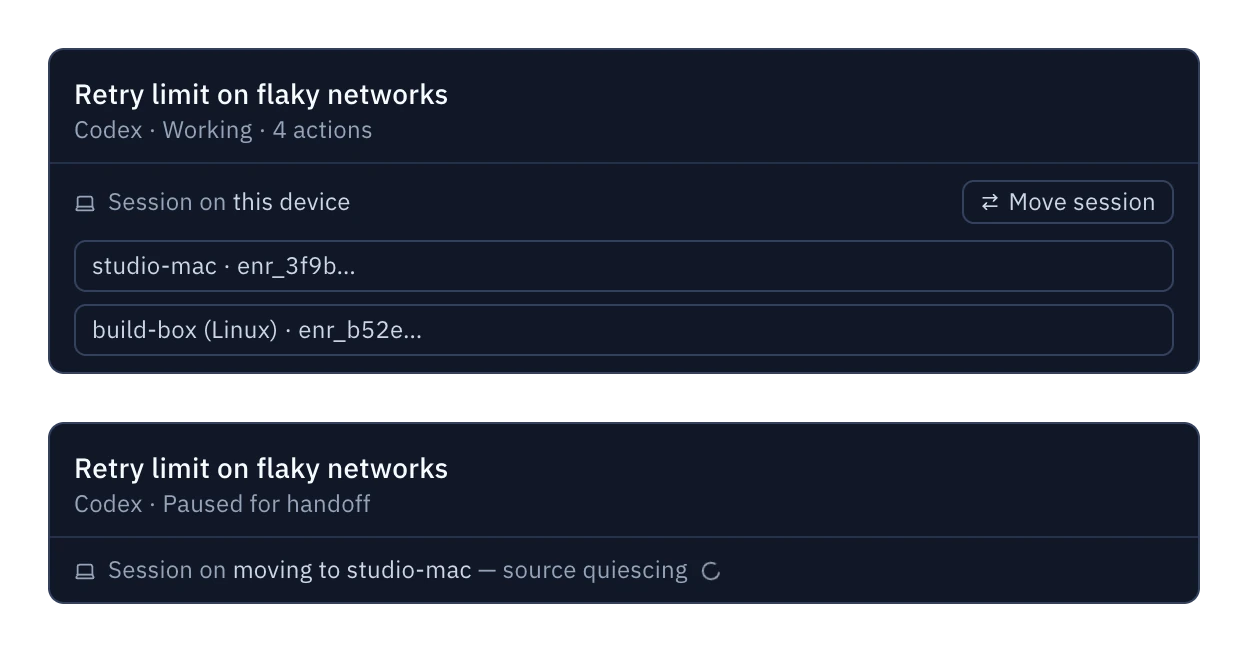
Sync copies your workspace setup to your other machines and encrypts it on your device before upload. Mesh sends jobs to those machines and can move a running session from one to another.
Beta through 30 November 2026. Hosted Sync is invite-only and planned from £6 a month. Self-hosting has no Mezair fee; your host may charge.
Sync: Dana's MacBook saves an edit to the Acme workspace and encrypts it with AES-256-GCM and the account key. The Sync backend stores the ciphertext and can read only metadata. studio-mac and build-box download the change and decrypt it.
- Saved locally
- Encrypted on the device
- Stored as ciphertext
- Pulled by your devices
- Decrypted and applied
The devices and commits are examples. The states and their order match the app's protocol.
What else is in the app
- Agents
- Codex, Cursor, Devin, OpenAI, Azure OpenAI, LLMGateway.Your own accounts. Providers bill you directly.
- Git
- Commit, open a pull request or undo a turn from the thread.Workflows, delegated helpers, factories and Mesh jobs each work in their own worktree.
- Review
- Diffs, test results and security, dependency and pipeline checks appear in the thread.
- Plans
- Work items with acceptance criteria, risks and follow-ups attached.
- Automations
- Scheduled checks and multi-agent workflows, each in its own working copy.
- Software factories
- Labelled GitHub issue to confirmed merge, under a policy you activate.Beta through 30 November 2026.
- Companions
- Approve a step or reply from iPhone, Apple Watch, Raycast or the menu bar.
- Price
- The app and self-hosted backend are free. Mezair-hosted Sync & Mesh is paid.
Keyboard shortcuts and developer tools
Mezair works alongside your editor and Git. It opens repositories in VS Code and has a built-in terminal for each workspace.
- Agent tools
- Mezair runs a local MCP server for each agent session. Agents use it to ask you questions and to post reviews, findings and diagrams in the thread.
- No account
- Mezair stores repositories, threads and settings in a local SQLite database. Crash reporting is off by default.
- Custom shortcuts
- You can change any global shortcut in Settings. On Windows and Linux, Ctrl replaces ⌘.
- Source code
- The Electron app, the Sync backend, the registry and this website are in one MIT-licensed repository. A preview mode renders the app's screens with sample data and no agent account.
- Command palette
- ⌘K
- New chat thread
- ⌘⇧N
- Toggle terminal
- ⌘`
- Guide a running agent
- ⌘↵
- Commands in the composer
- /
- Skills in the composer
- $
Other Mezair tools
Each one is open source and works without Desktop.
RegistryAlpha
An npm gateway that checks packages before they reach you.
npm config set registry http://localhost:4873Node BaseCompanion tool
A Node container for installing code you don't trust yet.
mezair-npm-ci-safeCloudAlpha
Build an app backend in TypeScript, then choose where it runs.
mezair-cloud check --json
The source is on GitHub
The app, the Sync backend, the registry and this website are in one MIT-licensed repository.
# clone the monorepo
$ git clone https://github.com/anthonyhumphreys/mezair
$ cd mezair-stack
$ node .github/scripts/prepare-desktop-clis.mjs
$ cd mezair-app

# each project installs on its own
$ pnpm install
$ pnpm dev

# real components on fixture data, no provider needed
$ pnpm exec vite --config scripts/chat-replay.vite.config.tsTry it on a repository you know well
Local use needs no Mezair account. You connect your agent account before your first task.